
Why is my Amazon listing search suppressed?
Short answer
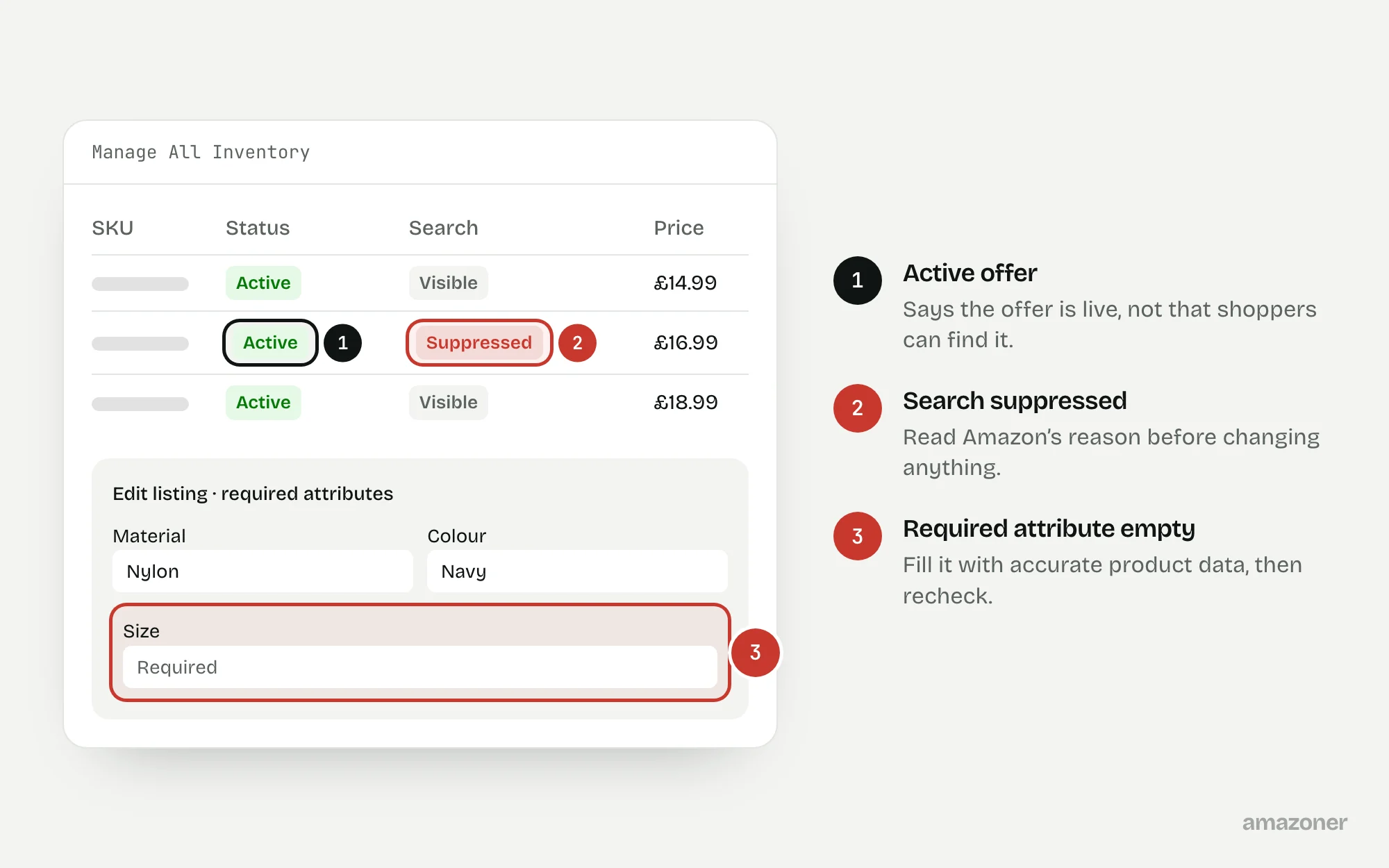
An Amazon listing can be search suppressed when required information or images fail applicable listing standards. Check the suppression reason in Seller Central before changing content. Correct the affected attributes or assets, review processing feedback, and recheck search visibility and buyability separately. An active offer does not prove search visibility.
Facts checked 3 min read
Also asked as
- How do I fix a search-suppressed Amazon listing?
- Why is my ASIN active but missing from Amazon search?
- Can missing attributes suppress an Amazon listing?
A typical case
A pet-accessory brand
The range shows as active in inventory, but customers can’t find it through relevant searches. Required size attributes are incomplete on the affected child listings, while the detail pages still load from a direct link. The team has been treating an active inventory status as proof that customers can discover the products.
Don’t confuse these
- Search suppressed
- Hidden from search results because the listing fails a requirement, often a missing attribute or a non-compliant main image. The page may still load from a direct link.
- Low organic ranking
- Eligible to appear, but placed too far down the results for shoppers to find it.
- Inactive offer
- No buyable offer, for example because of stock, price or an account issue, whatever the search status.
Search suppression, low organic ranking and an inactive offer are different conditions. A failed customer search alone doesn’t establish the account-side cause.
The required attributes and image rules depend on product type, category and marketplace, so a checklist from another category can point you at the wrong field.
Why it happens
Amazon requires certain attributes for each product type, and the list differs by category and marketplace. When a required field is empty, invalid or conflicts with the image rules, the listing can be removed from search while still showing as active in inventory.
It often follows a bulk upload, a product-type change or a template that left a field blank. Because the page still loads from a direct link and the offer still looks live, it can go unnoticed until sales fall.
How to diagnose it
- 1
List what’s affected
Record each affected SKU, child ASIN and marketplace, with the date the problem was noticed.
- 2
Read the suppression reason
Open Manage All Inventory and filter by Search Suppressed, or use the current equivalent view. Note the exact field or image Amazon flags for each listing.
- 3
Check the product type’s requirements
Compare the flagged listing with the required attributes for its product type and marketplace. Fill them with accurate product data, not placeholder values.
- 4
Read the processing feedback
After submitting a correction, check the feed processing report or edit errors. A saved edit isn’t the same as an accepted one.
- 5
Recheck search and buyability separately
Search with a consistent set of queries in the right marketplace, then confirm the offer is buyable. Keep a dated log of each check.
What we recommend
Record each affected SKU, child ASIN and marketplace; inspect Search Suppressed and Inactive Listings or the equivalent current Seller Central view; complete the specific required attributes using accurate product data; inspect feed or edit errors; and keep a dated change log.
Recheck visibility and offers after processing. Escalate unresolved discrepancies with the exact error and supporting evidence, rather than repeatedly rewriting the whole listing.
Common mistakes
- Rewriting the whole listing instead of fixing the field Amazon actually flagged.
- Treating an active inventory status as proof that shoppers can find the product.
- Filling required attributes with guessed values just to clear the warning.
- Searching once, from one location, and treating the result as conclusive either way.
Prevention checklist
- Check the Search Suppressed filter after every bulk upload or template change.
- Keep a master record of accurate attribute values for each product.
- Review required attributes whenever a product type changes.
- Log each change with its date and processing result.
- Recheck search visibility and buyability as two separate checks.
What an audit gives you
A list of the affected child ASINs with the attributes Amazon flagged, accurate values to submit, and a dated recheck of search visibility and buyability.
Related questions
Can a search-suppressed listing still sell?
It can still load from a direct link, but shoppers searching won’t find it. Check buyability separately, because suppression and an inactive offer are different problems.
Can a main image cause search suppression?
Yes. A missing or non-compliant main image is one of the reasons Amazon can give. Read the exact reason before replacing images or rewriting text.
How long does a listing take to come back after a fix?
There’s no fixed timetable. Wait for the change to process, read the processing report, then recheck both the listing status and search visibility.
Sources
The seller questions and Amazon or regulator guidance this guide is based on, checked 7 November 2026.
- Help with search suppression (Amazon seller forums)
- Help - what exactly does ‘Search Suppressed’ mean? (Amazon seller forums)
General guidance, not legal, tax or account-specific advice. Amazon’s rules, menus and programmes change; check the current version in your own account before acting.