
What should I do when my Amazon Order Defect Rate puts my account at risk?
Short answer
Start with the exact Account Health metric and performance notification, then investigate the affected orders rather than submitting a generic apology. Separate incorrect defects from genuine service failures. Where Amazon requests a plan of action, explain evidenced root causes, completed corrections and practical prevention. Only Amazon decides whether selling privileges are restored.
Facts checked 3 min read
Also asked as
- How do I write an evidence-based Amazon plan of action?
- Does a refund remove an order defect?
- Why does Amazon keep asking for more information in my appeal?
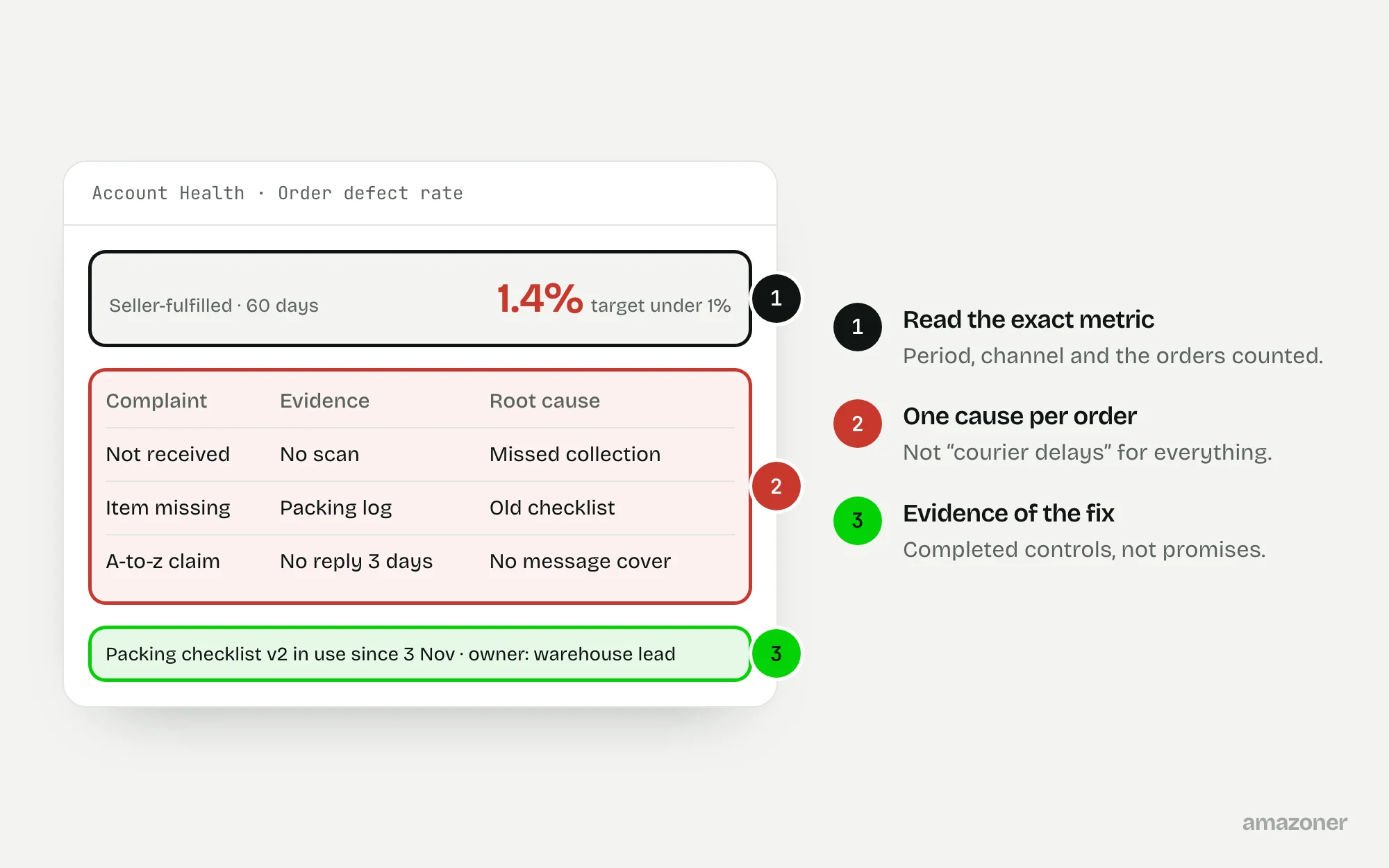
A typical case
A seller-fulfilled home-textile seller
An account-risk notice follows delivery complaints and incomplete parcels. The operations team has grouped every complaint under “courier delays”, while the warehouse uses an outdated packing checklist and buyer messages have no cover during staff absences. The draft appeal promises better service but doesn’t say which control failed or what has changed.
Don’t confuse these
- Order defect rate (ODR)
- The share of orders with a qualifying defect, such as negative feedback, an A-to-z claim or a chargeback. Amazon’s published target is below 1%.
- Product star rating
- Shoppers’ rating of the product. It isn’t part of ODR.
- Account Health Rating
- A wider score for policy compliance, separate from ODR.
ODR concerns orders with qualifying defects, not every complaint or every affected unit. Negative feedback, relevant A-to-z Guarantee claims and service chargebacks can contribute, subject to Amazon’s current rules.
The actual enforcement scope and required response must be read from the account’s own notice. Don’t assume a refund removes a defect, or that a healthy Account Health Rating cancels a customer-service problem.
Why it happens
Different failures can produce a similar complaint. A parcel may miss a collection, be handed over without usable tracking, or arrive incomplete because a packer used the wrong bill of materials. An unanswered message can then turn a fulfilment problem into an escalated claim.
Low order volume can make the percentage swing sharply. A useful investigation separates the original operational failure, the customer-resolution failure and any demonstrable reporting error, rather than blaming Amazon or the courier for everything.
How to diagnose it
- 1
Save the ODR detail
Open Performance > Account Health, or the current equivalent, and save the ODR detail for the period and fulfilment channel. Record the denominator and affected orders, without double-counting feedback and claims on the same order.
- 2
Read the actual notice
Establish whether it concerns seller-fulfilled offers, a programme or the whole account. Copy the requested evidence and deadline into an issue log.
- 3
Build an order chronology
Reconcile each order with Manage Orders, tracking events, dispatch evidence, buyer messages and packing records: promised dispatch, actual handover, customer contact and resolution.
- 4
Check claims, feedback and chargebacks
Use the right route and deadline for any record that’s genuinely challengeable, kept separate from the improvement plan.
- 5
Trace each failure to a process
Link genuine failures to a specific process and owner, and keep evidence of corrections already made, such as a revised packing check.
- 6
Map causes to corrections
If a plan of action is requested, match each root cause to a correction, a preventive control and an evidence reference, and check it against every question in the notice.
What we recommend
Prioritise unresolved customer obligations while preserving evidence; correct dispatch, packing and message-cover weaknesses; prepare a concise factual response specific to the notice.
Where a defect appears incorrectly attributed, prepare the applicable evidence-led challenge rather than admitting an unverified failure. Treat any appeal as a seller-approved submission, and use qualified account-health support where the situation warrants it.
Common mistakes
- Copying an appeal template that describes failures the business didn’t have, or promising controls that don’t exist.
- Counting several defect events on one order as several defective orders.
- Assuming refunds, a new carrier or a move to FBA erase past defects.
- Opening a new selling account to get around enforcement, or pressuring customers to withdraw genuine complaints.
Prevention checklist
- Give performance notices, buyer messages and delivery exceptions an owner and a backup.
- Check promised dispatch times against actual carrier handovers and warehouse capacity.
- Use product-specific packing checks for parts, quantity and condition.
- Keep order evidence accessible and review recurring failures with operations.
- Note each notice’s real deadline and keep a versioned log of corrective controls.
What an audit gives you
Order-level evidence organised by root cause, revised packing and message-cover controls, and a response drafted for the specific notice, for the seller to review and submit.
Related questions
Does refunding a customer remove the order defect?
No. The customer resolution and how the metric treats the order are separate. Check the claim or feedback decision and the current ODR policy.
Is an at-risk warning the same as deactivation?
No. Read the exact warning and which selling privileges it affects. A performance issue needs a different response from a policy or identity-verification issue.
Should every appeal include a plan of action?
Follow what the notice actually asks for. Some cases want specific documents or an explanation rather than a general plan.
Can an audit guarantee reinstatement?
No. It can find evidence gaps and weak processes and help structure a truthful response. Amazon decides account status.
Sources
The seller questions and Amazon or regulator guidance this guide is based on, checked 7 November 2026.
- Account has been deactivated (Amazon seller forums)
- Any tips to help write a Plan of action? (Amazon seller forums)
General guidance, not legal, tax or account-specific advice. Amazon’s rules, menus and programmes change; check the current version in your own account before acting.